Swift/기초 카테고리에 업로드한 모든 내용은 KxCoding 기초 강의를 토대로 작성하였습니다.

⎮ 웹에서 레퍼런스 보는법
1. Apple Developer 확인 (ex: UIAlertAction)
https://developer.apple.com/documentation/uikit/uialertaction
UIAlertAction | Apple Developer Documentation
An action that can be taken when the user taps a button in an alert.
developer.apple.com
2. Topic에서 세부사항 확인 가능
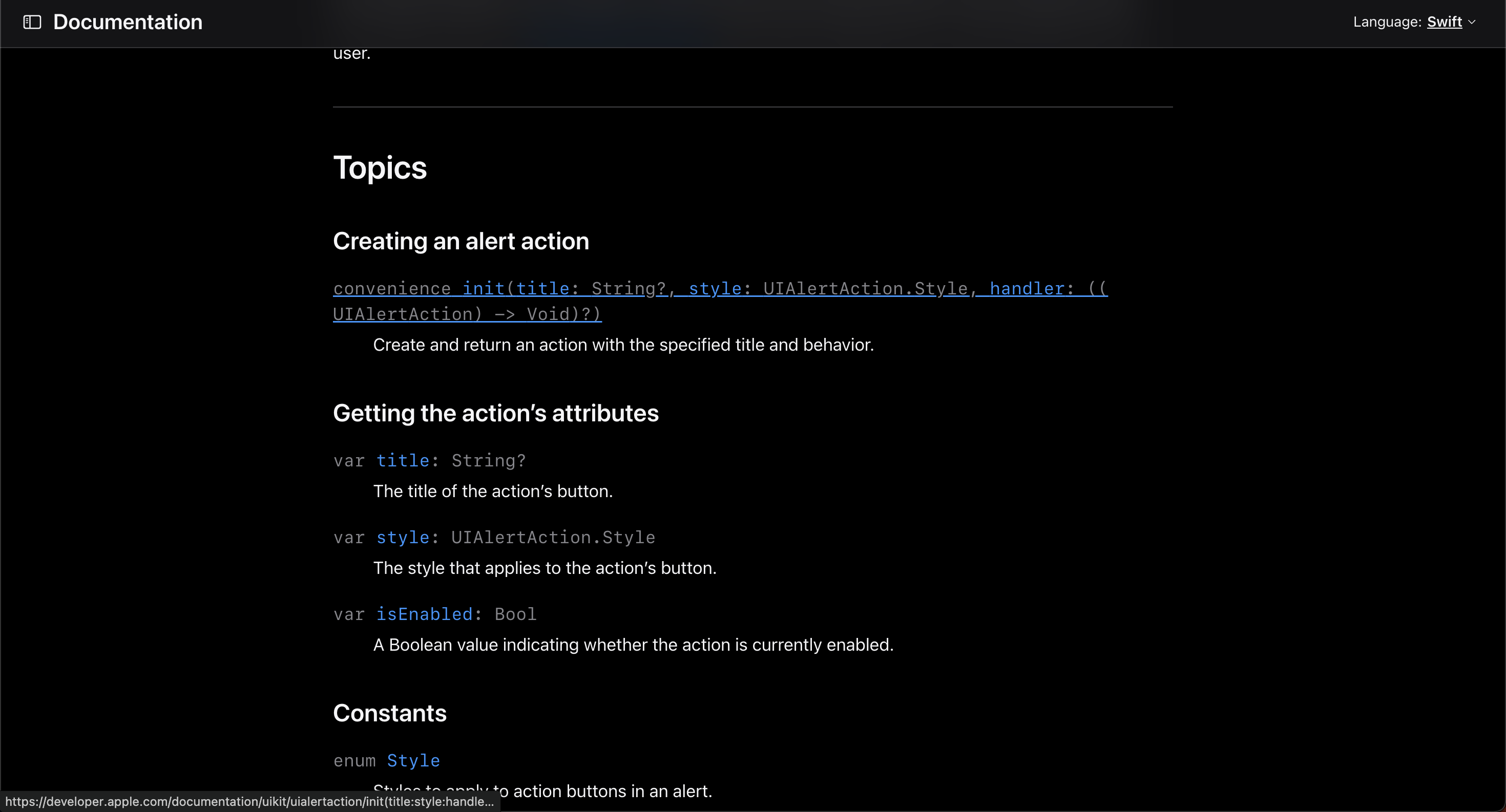
3. 레퍼런스 확인
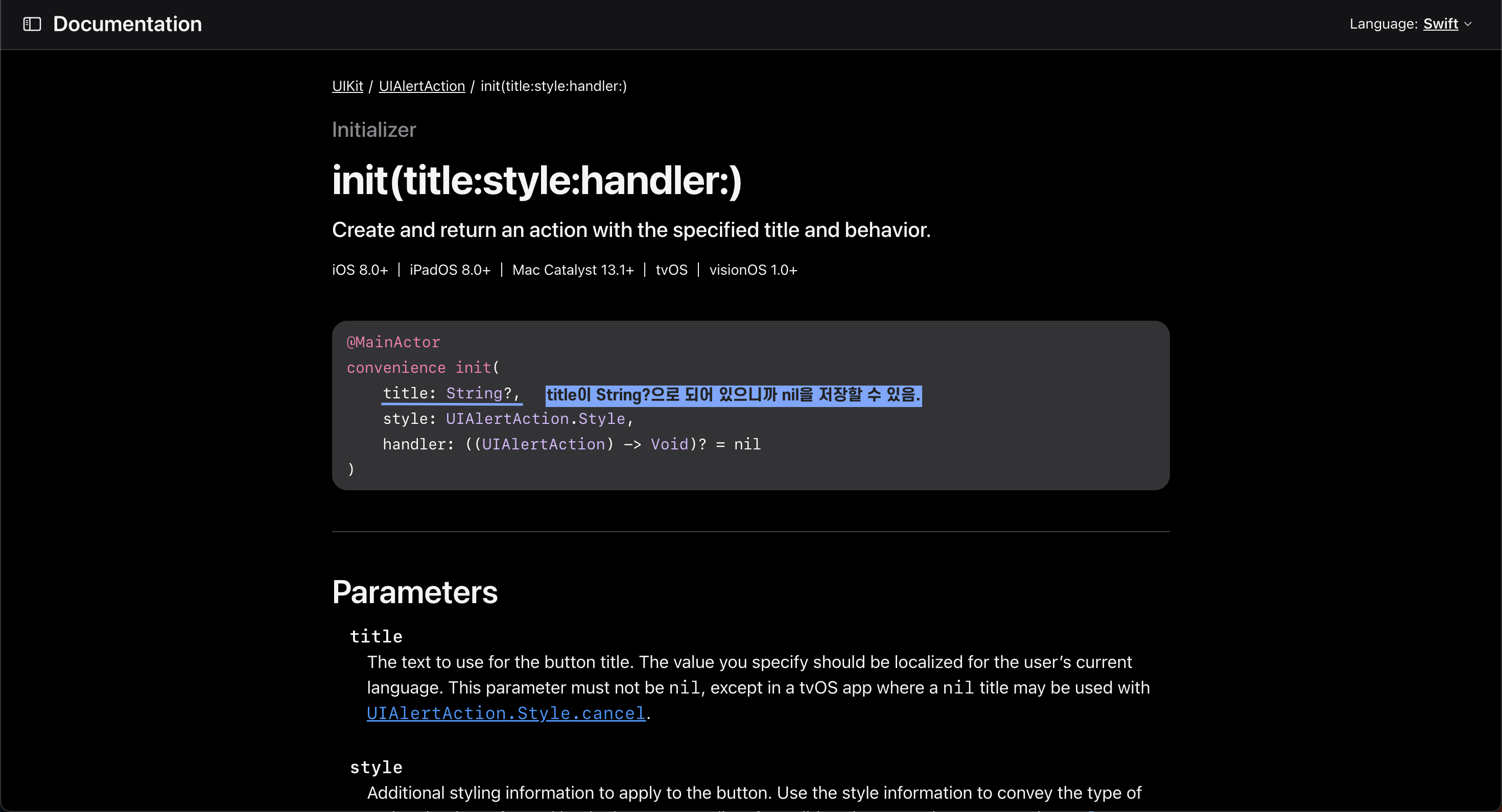
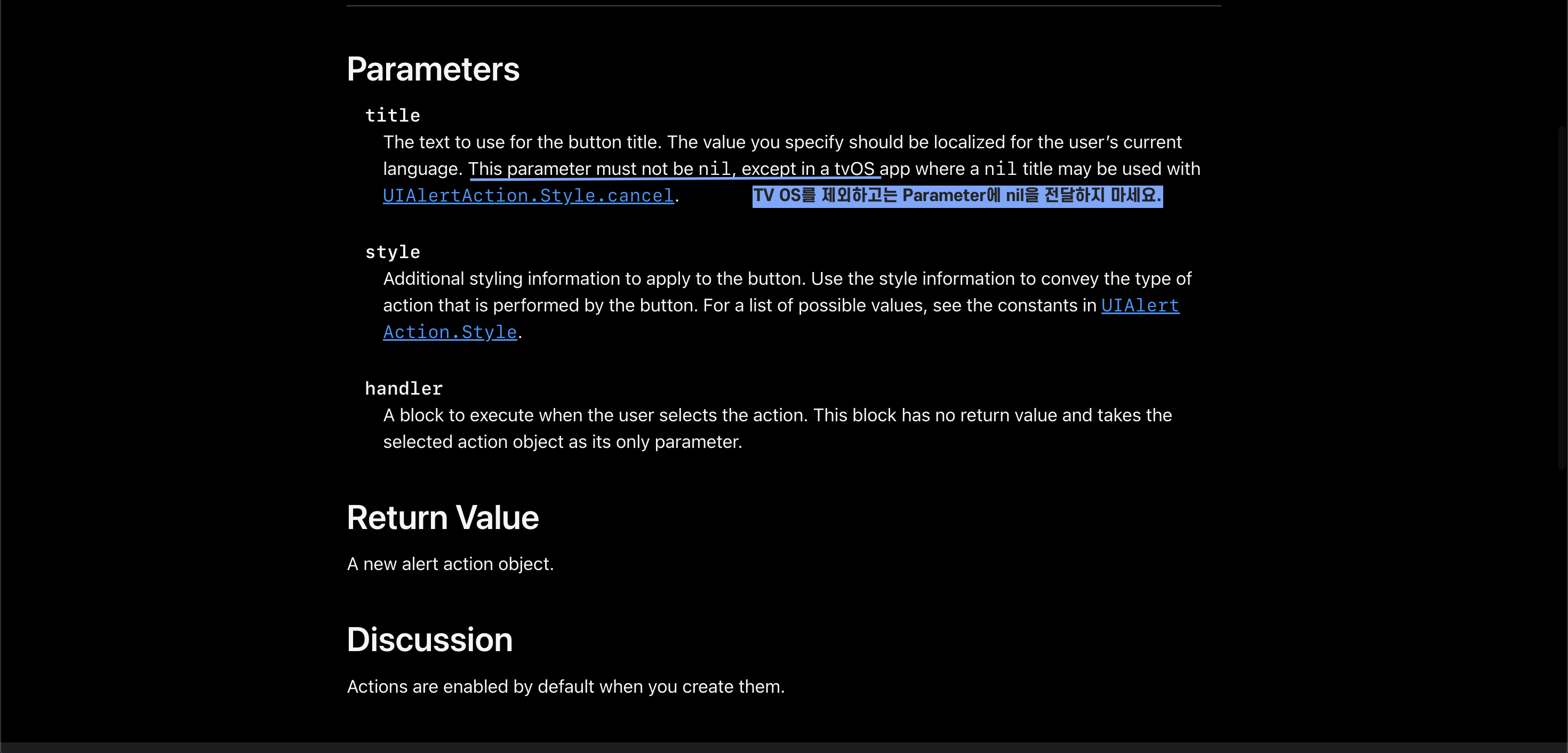
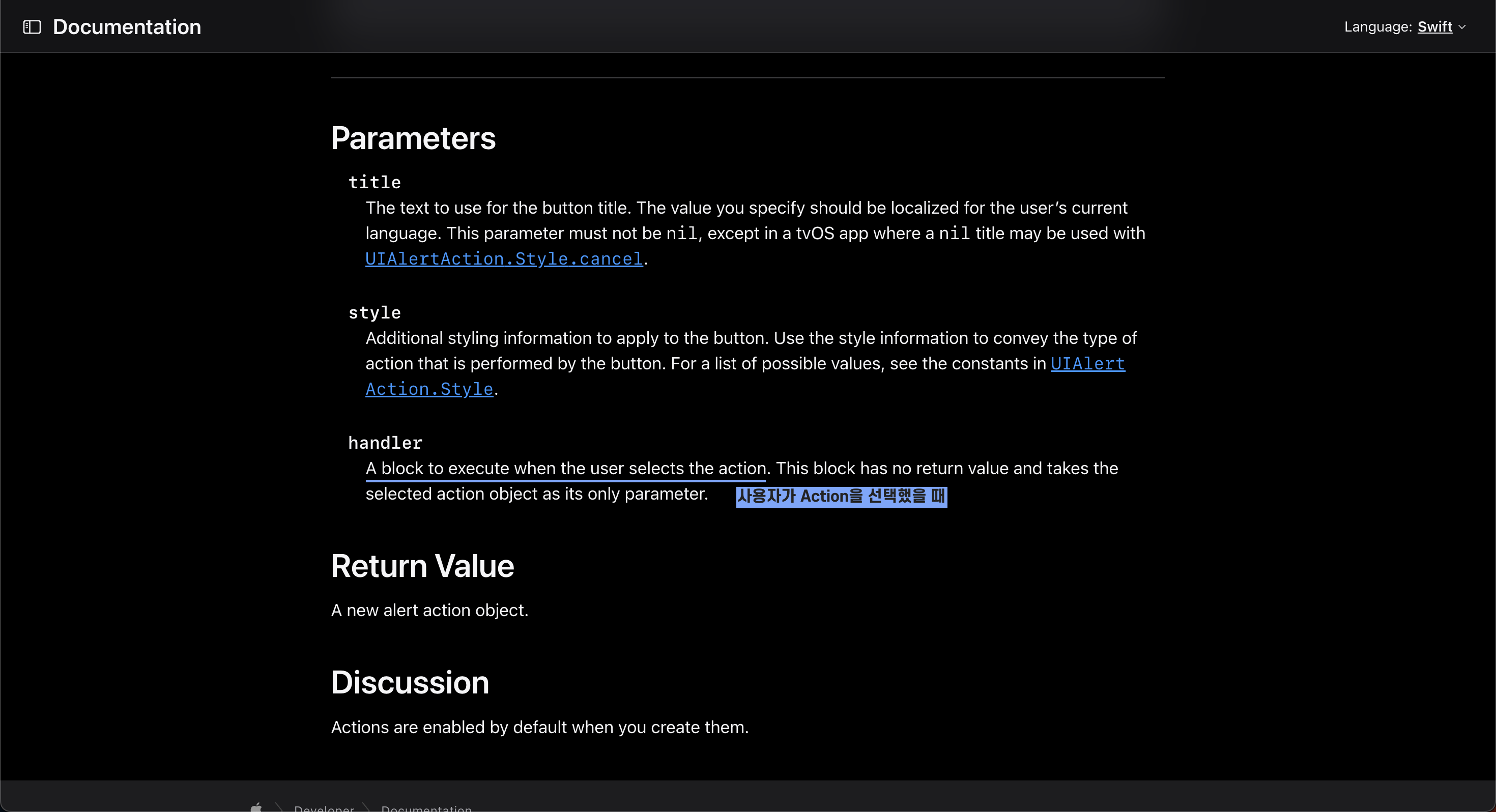
4. Parameter의 특성 확인 * 코드 블록만 대충 보면 nil을 저장해도 되는 것으로 이해할 수 있기 때문에 레퍼런스를 잘 봐야함.
⎮ 코드 뜯어보기
1. handler 코드 분석하기
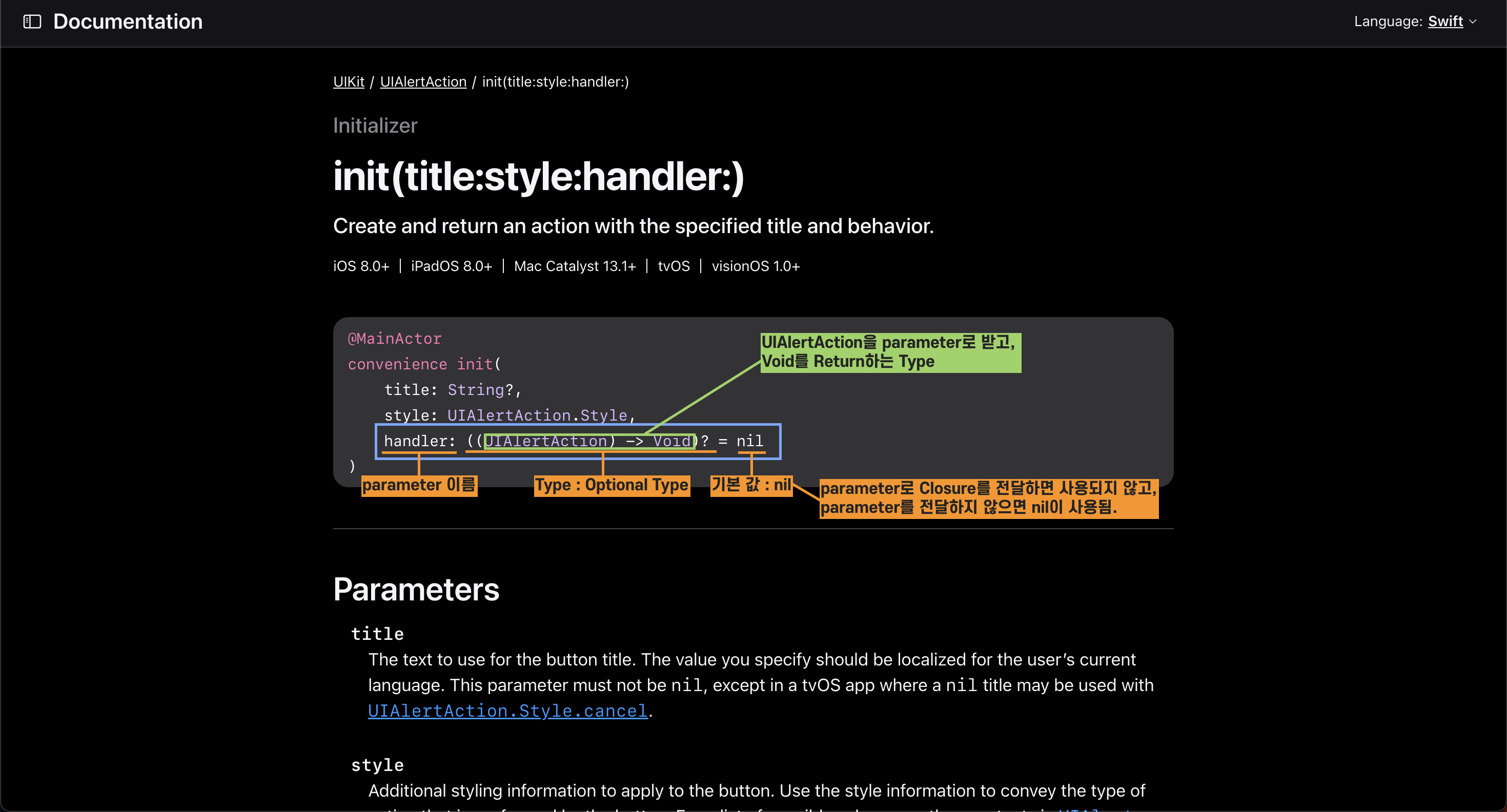
2. 사용자가 action을 선택하면 실행
⎮ 문법 최적화 맛보기 - 파라미터 개수 추론
1. plusAction의 파라미터 개수 추론
| - | 코 드 | 파라미터 개 수 |
| 1 | let plusAction = UIAlertAction(title: "+ (더하기)", style: .default) { _ in self.operatorButton.setTitle("+", for: .normal) } |
2개로 보이지만, 3개 |
| 2 | let plusAction = UIAlertAction(title: "+ (더하기)", style: .default, handler: { (action: UIAlertaction) -> Void in self.operatorButton.setTitle("+", for: .normal) }) |
3개 |
| 1, 2번 코드는 같은 코드. 1번 코드는 문법 최적화가 된 코드 action은 parameter 이름이니까 아무 이름이나 작성 가능. 단, parameter Type은 선언되어 있는 것과 같은 Type(UlAlertacion)으로 해야함 |
||
⎮ 메소드로 제목 전달하기
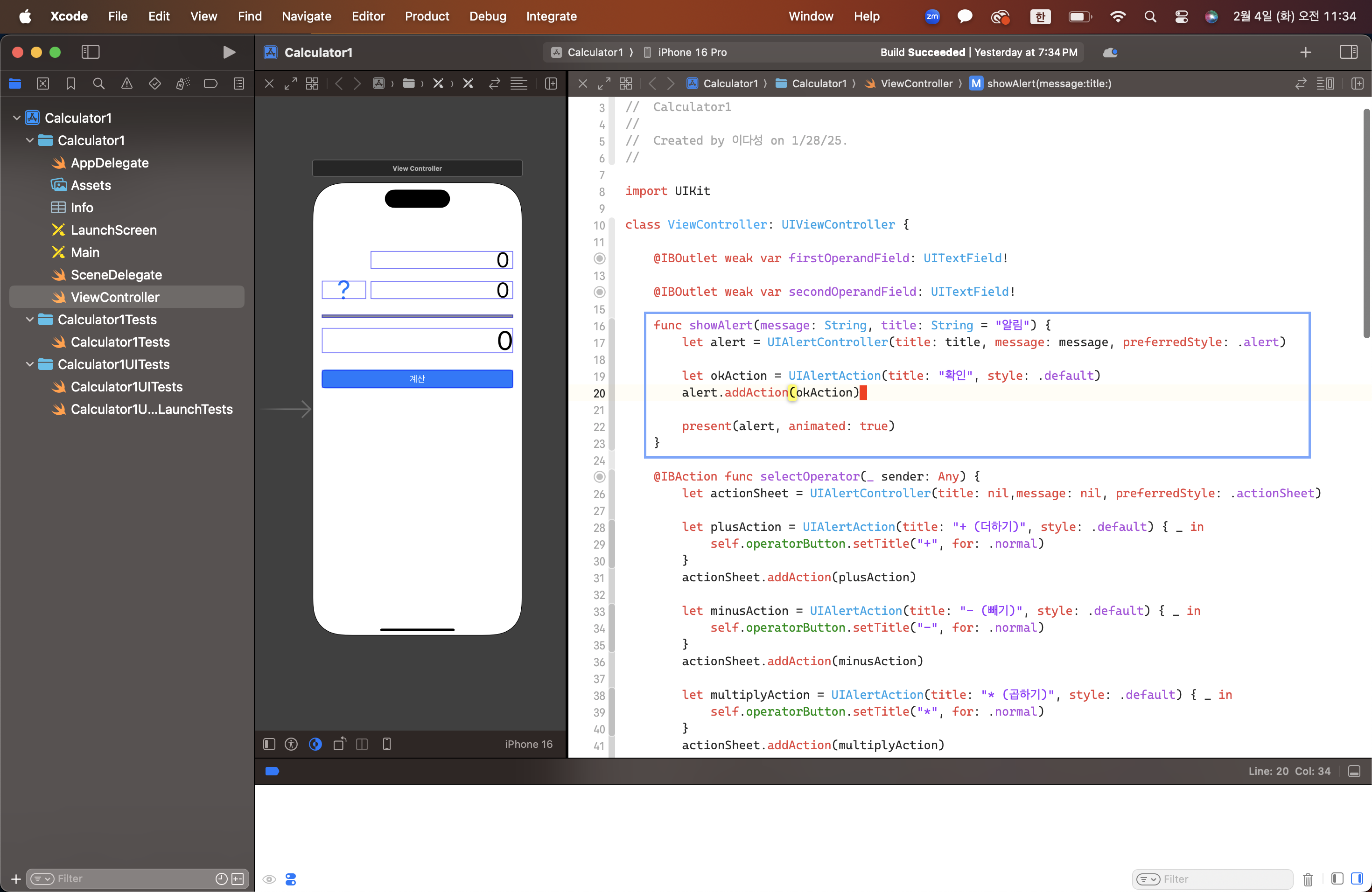
1. 코드 수정
func showAlert(message: String) {
		let alert = UIAlertController(title: "알림", message: message, preferredStyle: .alert)
		let okAction = UIAlertAction(title: "확인", style: .default)
		alert.addAction(okAction)

		present(alert, animated: true)
}

func showAlert(message: String, title: String = "알림") {
		let alert = UIAlertController(title: title, message: message, preferredStyle: .alert)
		let okAction = UIAlertAction(title: "확인", style: .default)
		alert.addAction(okAction)

		present(alert, animated: true)
}
2. 코드 추가

'Swift > 기초' 카테고리의 다른 글
| 31. 스위프트 기초 문법[계산기(10) - 함수 표기법, View Animation] (0) | 2025.02.06 |
|---|---|
| 30. 스위프트 기초 문법[계산기(9) - 문법 최적화] (0) | 2025.02.04 |
| 28. 스위프트 기초 문법[계산기(7) - Closure] (0) | 2025.02.03 |
| 27. 스위프트 기초 문법[로또(6) - 정렬과 회전] (1) | 2025.02.02 |
| 26. 스위프트 기초 문법[로또(5) - 튜플] (0) | 2025.02.02 |


